A mentoring platform for people who've never had a mentor
Helping career switchers and new graduates find the right mentor and book sessions easily.
- Role
- Sole UX Designer
- Timeline
- Winter 2025
- Tools
- Figma, Photoshop
- Responsibilities
- Research, UI, testing, UX writing
Overview
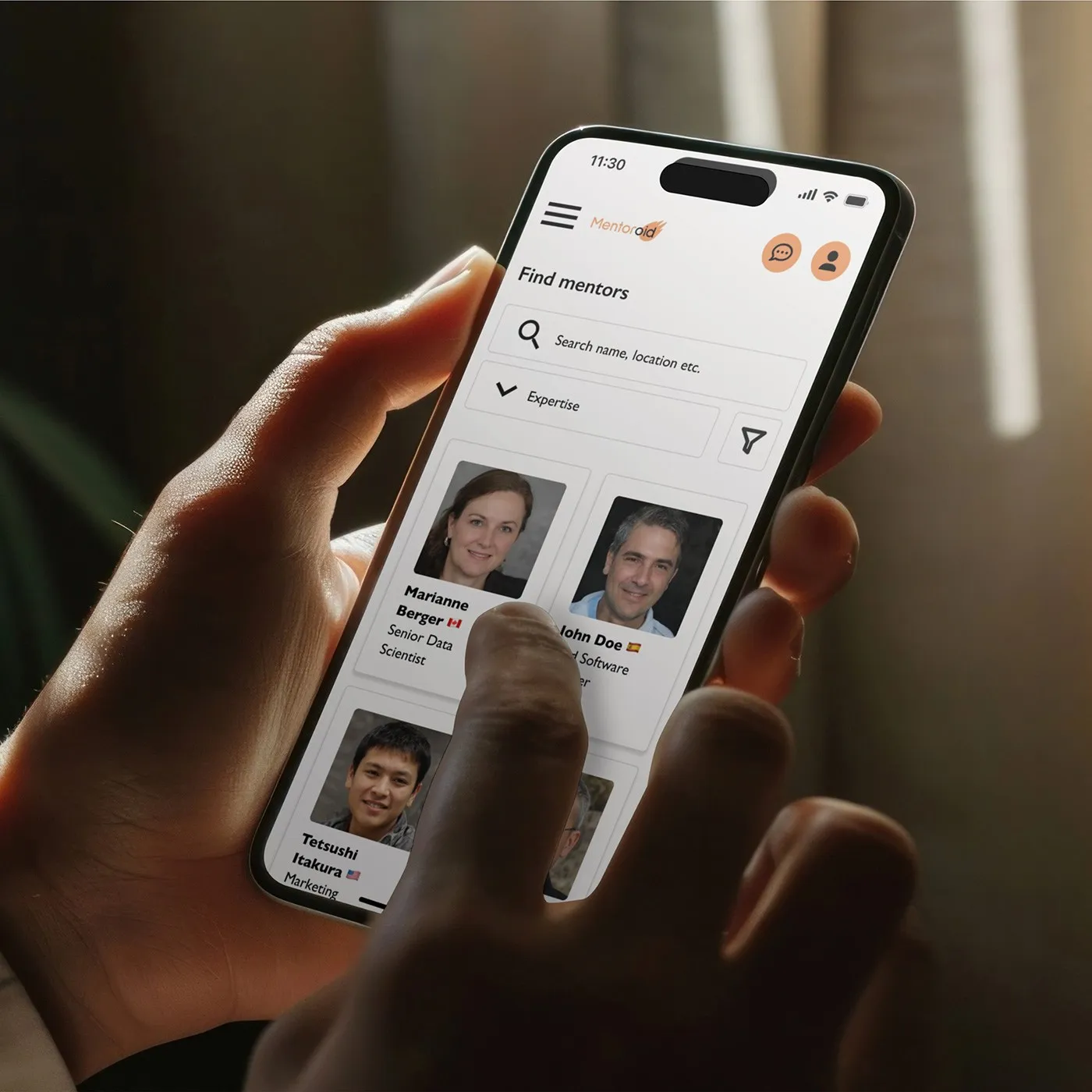
Many mentoring platforms are hard to navigate, hide content behind sign-ups or lack integrated communication tools. For my Google UX Design Certificate capstone project, I designed a mentoring platform for web and app that helps career switchers and new graduates find the right mentor, book sessions and communicate via chat or video without friction.
How I got there
- 01
Research
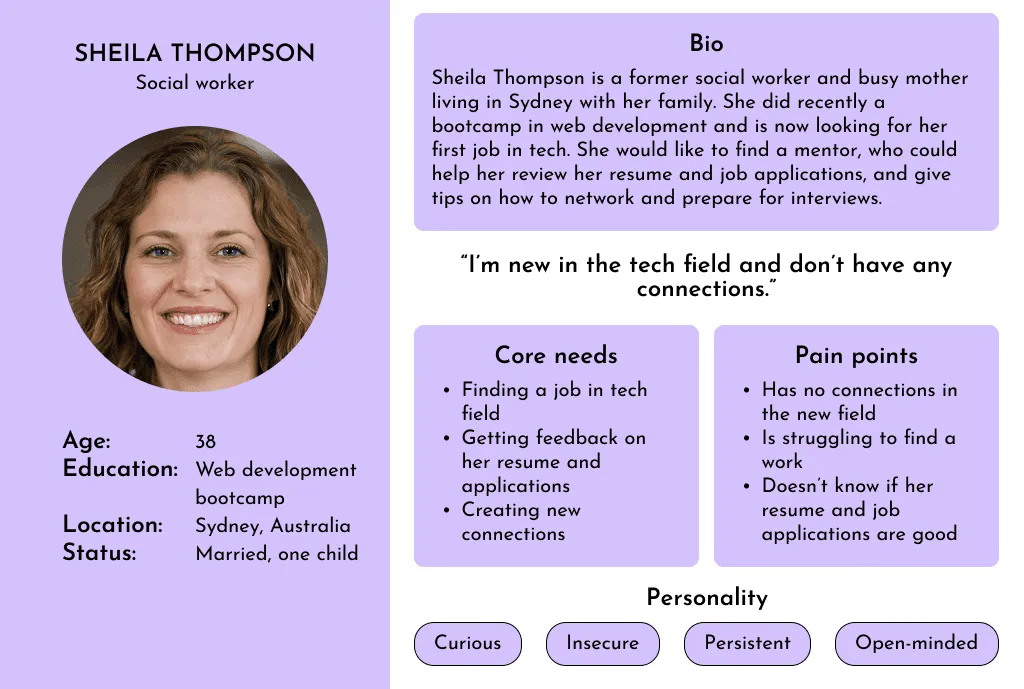
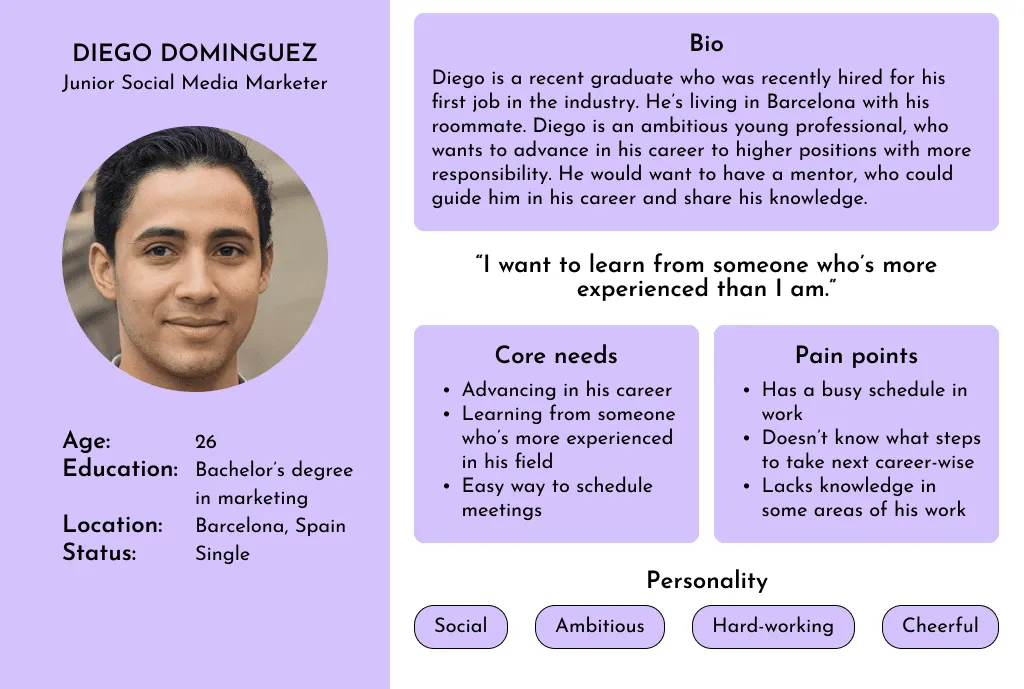
A survey of 18 respondents, synthesised into two personas, showed that easy mentor matching and scheduling mattered more than long onboarding or complex registration.
- 02
Competitive audit
Benchmarking five mentoring and coaching platforms revealed gaps in filtering, reviews and integrated video calls, and reinforced the need to keep gated content to a minimum.
- 03
Usability testing
Two rounds of testing with 13 participants led me to move scheduling above the fold, add a booking confirmation and clarify buttons that caused hesitation.
- 04
Design system
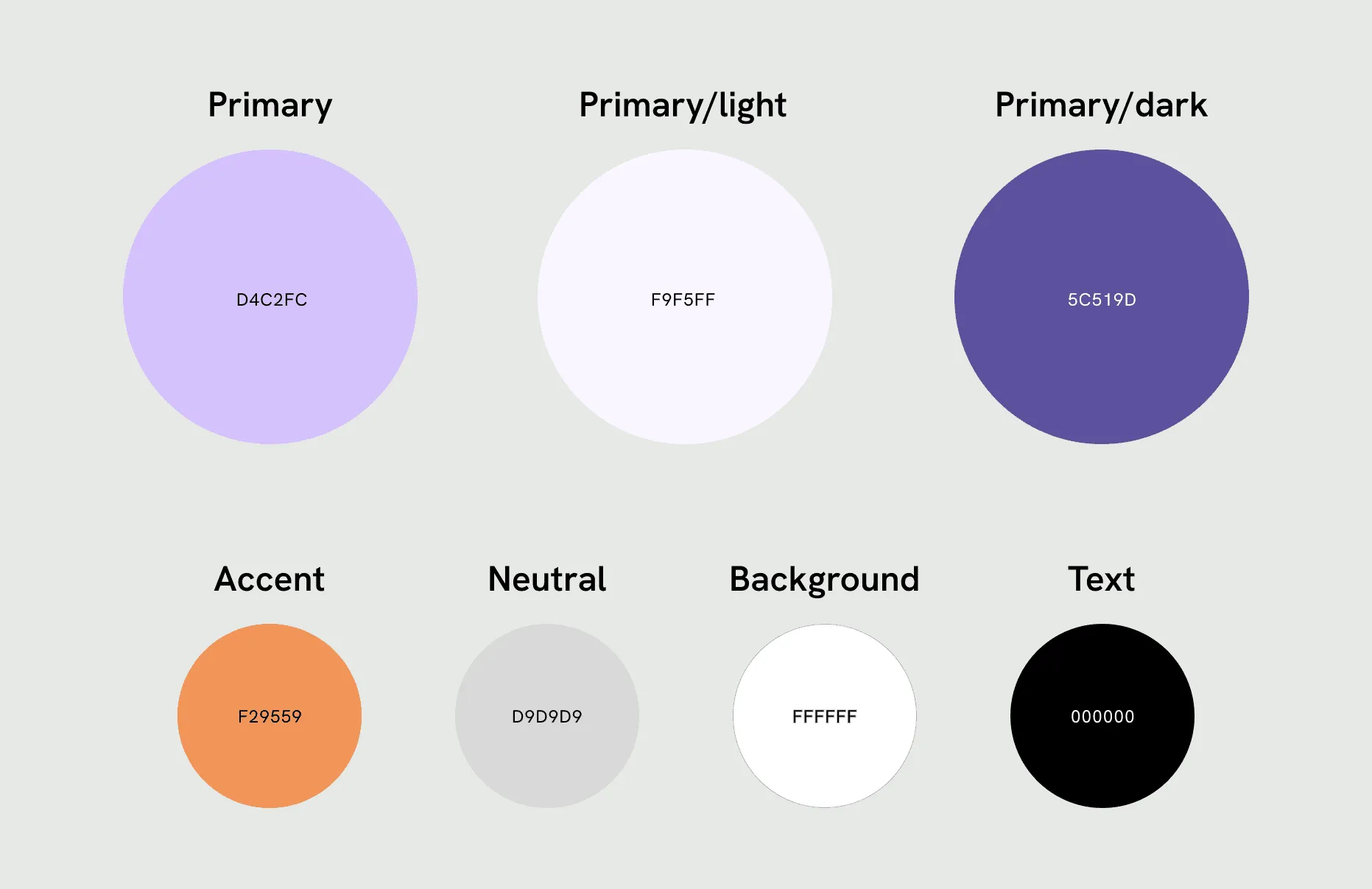
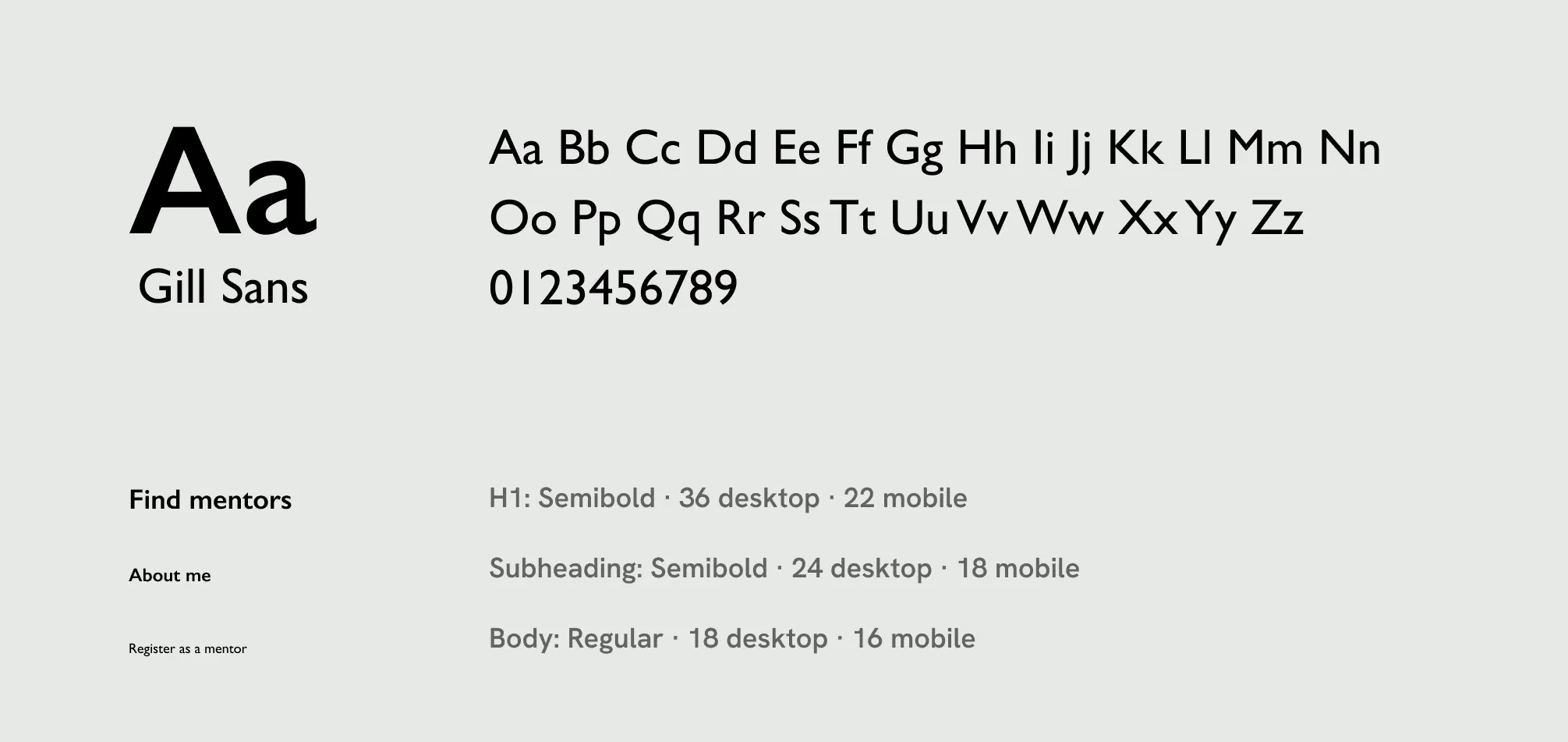
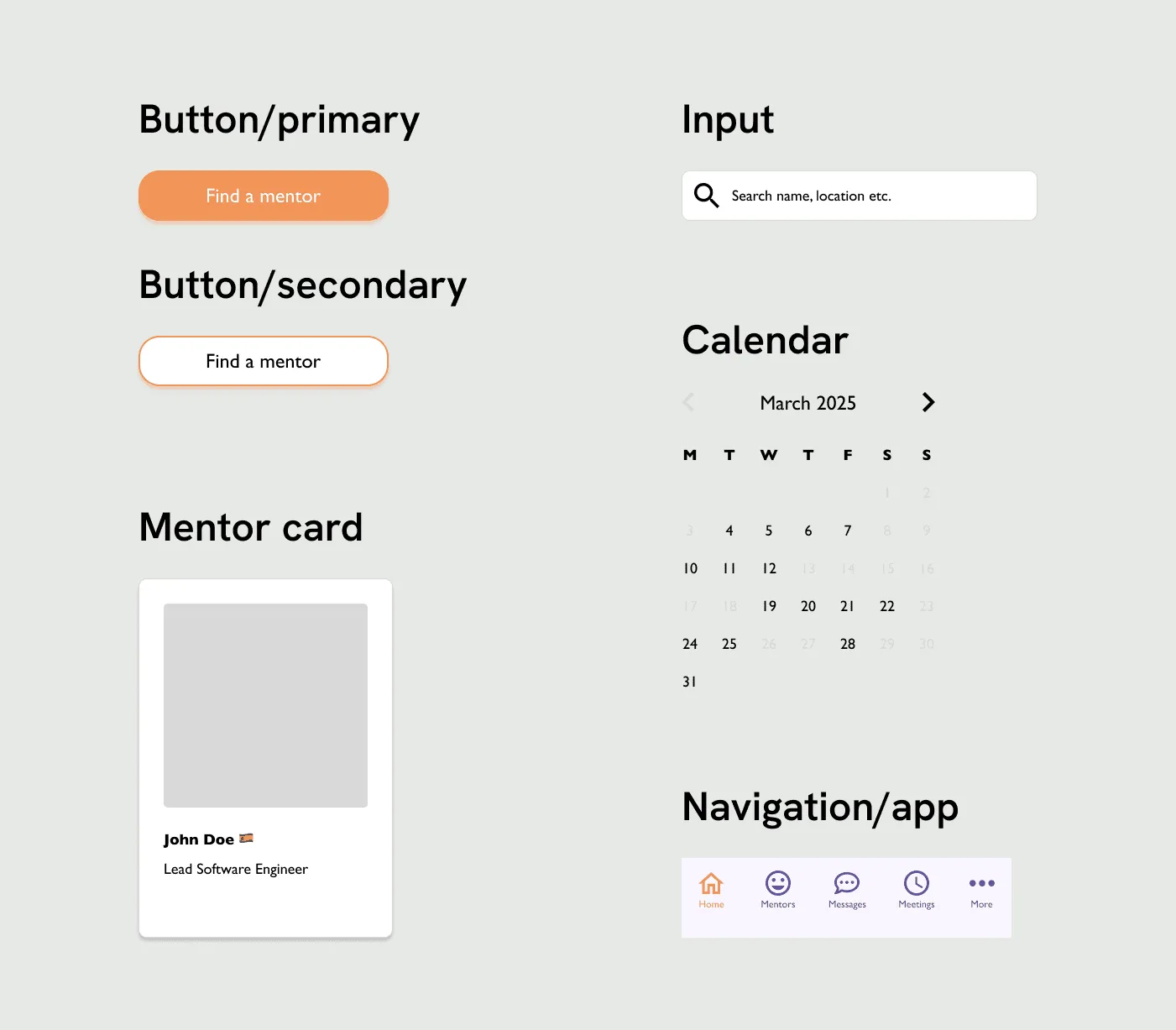
A reusable component library, built alongside the prototype, kept desktop, mobile and app layouts consistent as the product grew.
Final design
Designing for a first mentoring experience
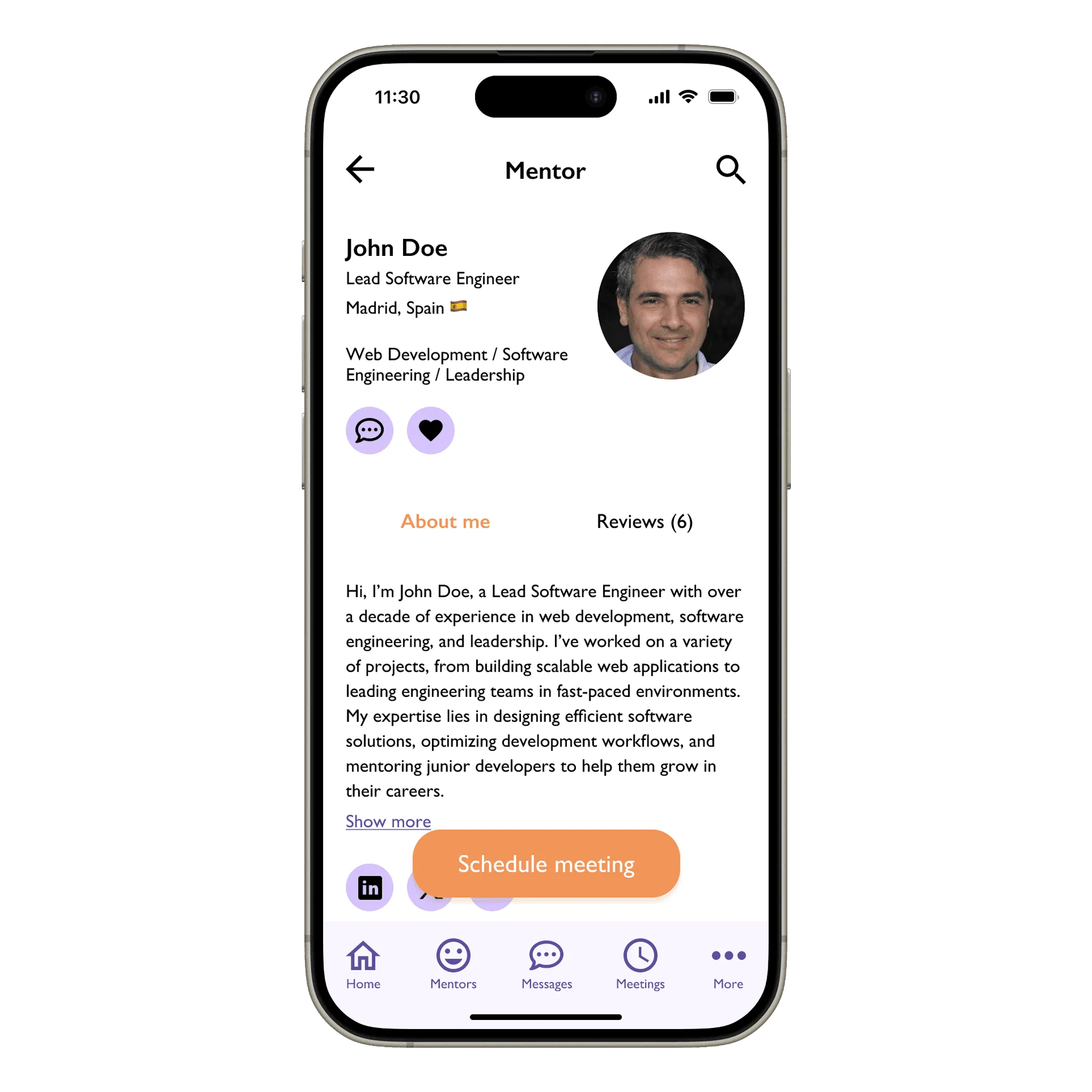
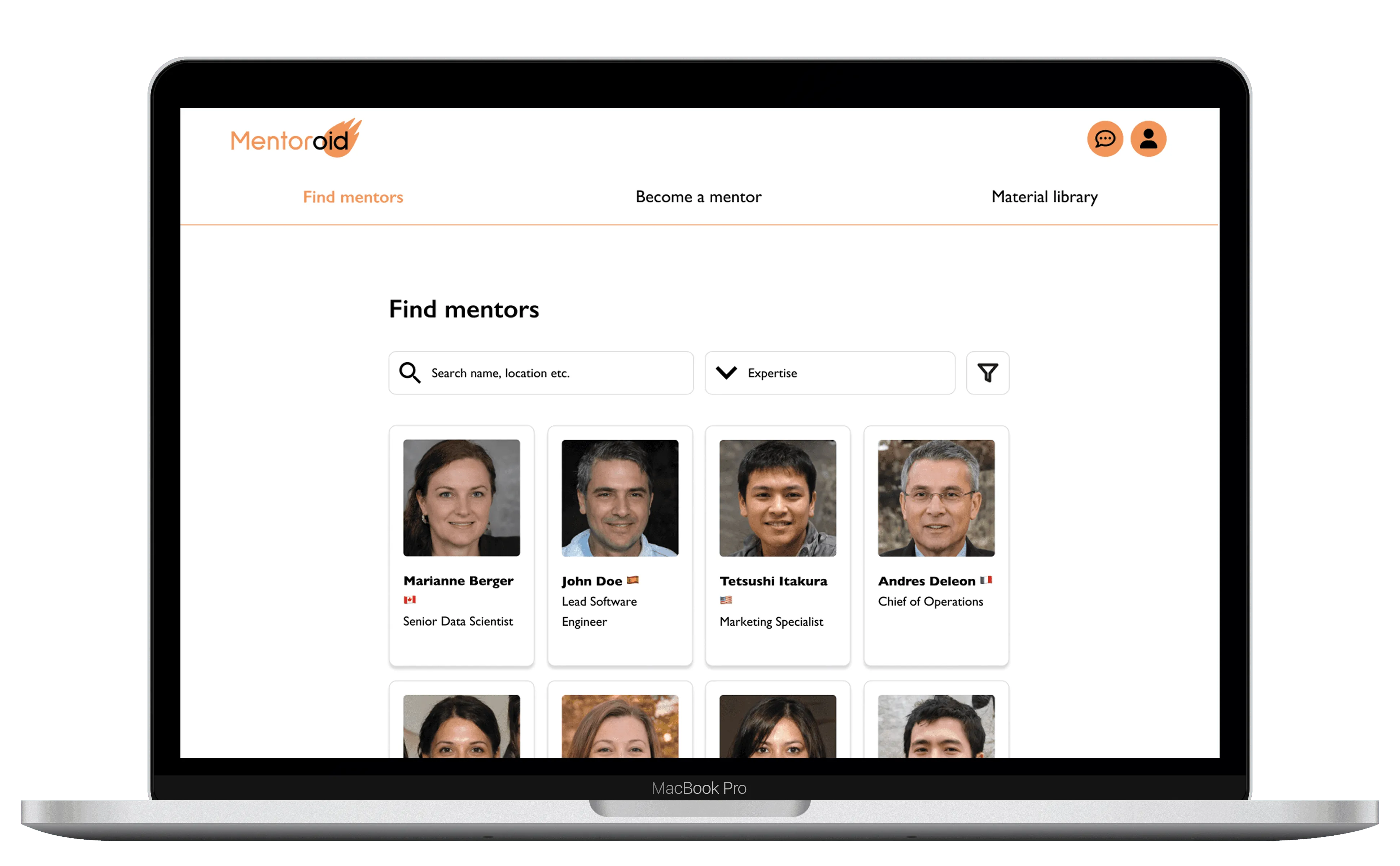
A survey of 18 respondents at the start of the project showed that most had never had a mentor. That shaped the platform’s priorities: it needed to be easy to use and keep gated content to a minimum. It also needed mentor-mentee matching to help newcomers find the right fit, reviews on mentor profiles to build trust, and a resource library to support them along the way.
- Over 70%aged 26–35
- 72.2%career switchers
- 5 out of 18had a mentor before
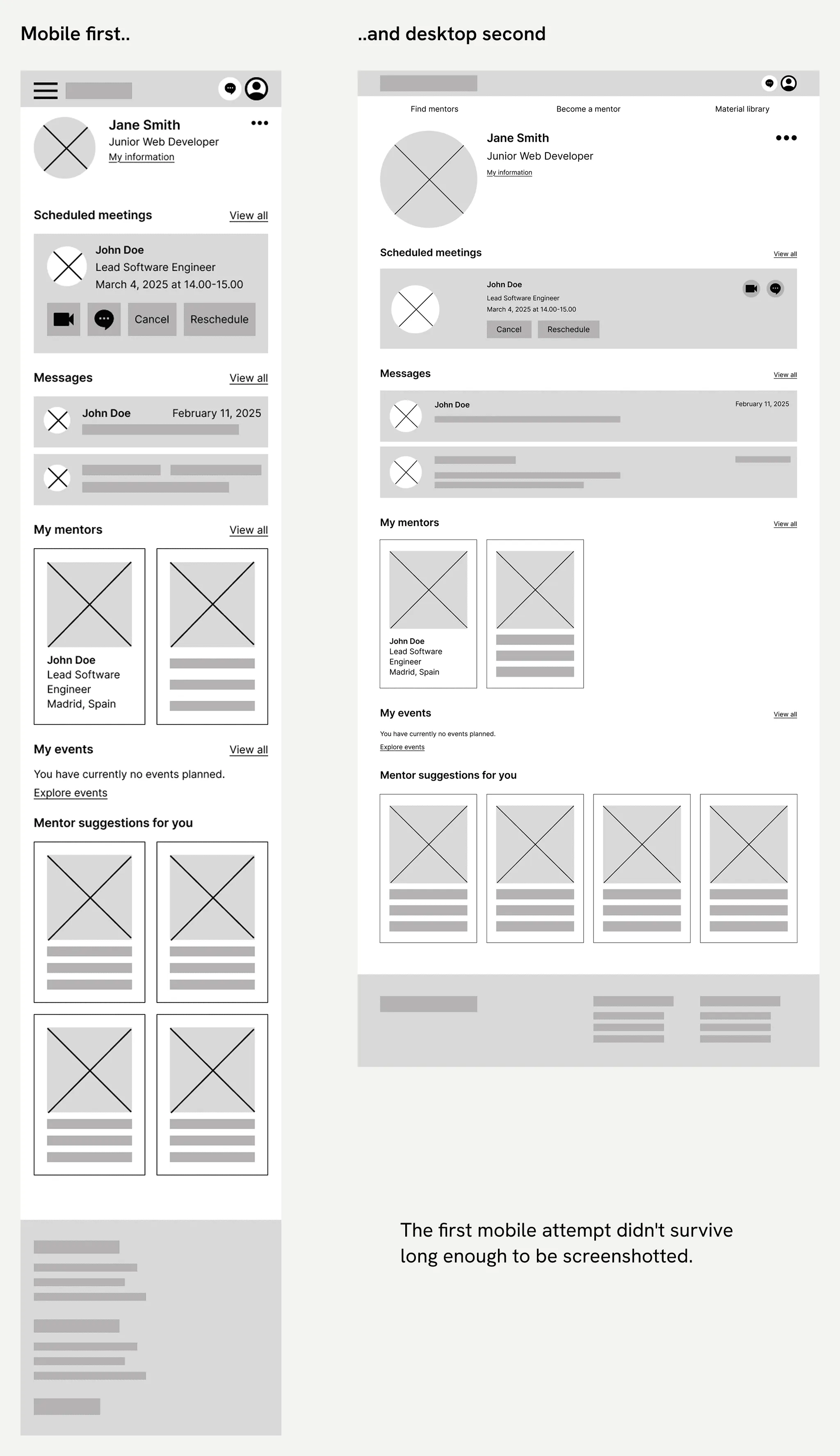
The mobile layout forced a restart
I started the wireframes with the desktop version, but partway through I realised the ideas didn’t translate well to mobile. The pages had a lot of content, and fitting it on a small screen without cramming or endless scrolling was difficult.
So I scrapped my original wireframes and started again, this time mobile app first. I simplified the layout and replaced rows of buttons with dropdowns, which saved space and made the pages easier to scan. Designing for the smallest screen first also made the desktop version easier to structure.
The first mobile attempt didn’t survive long enough to be screenshotted.
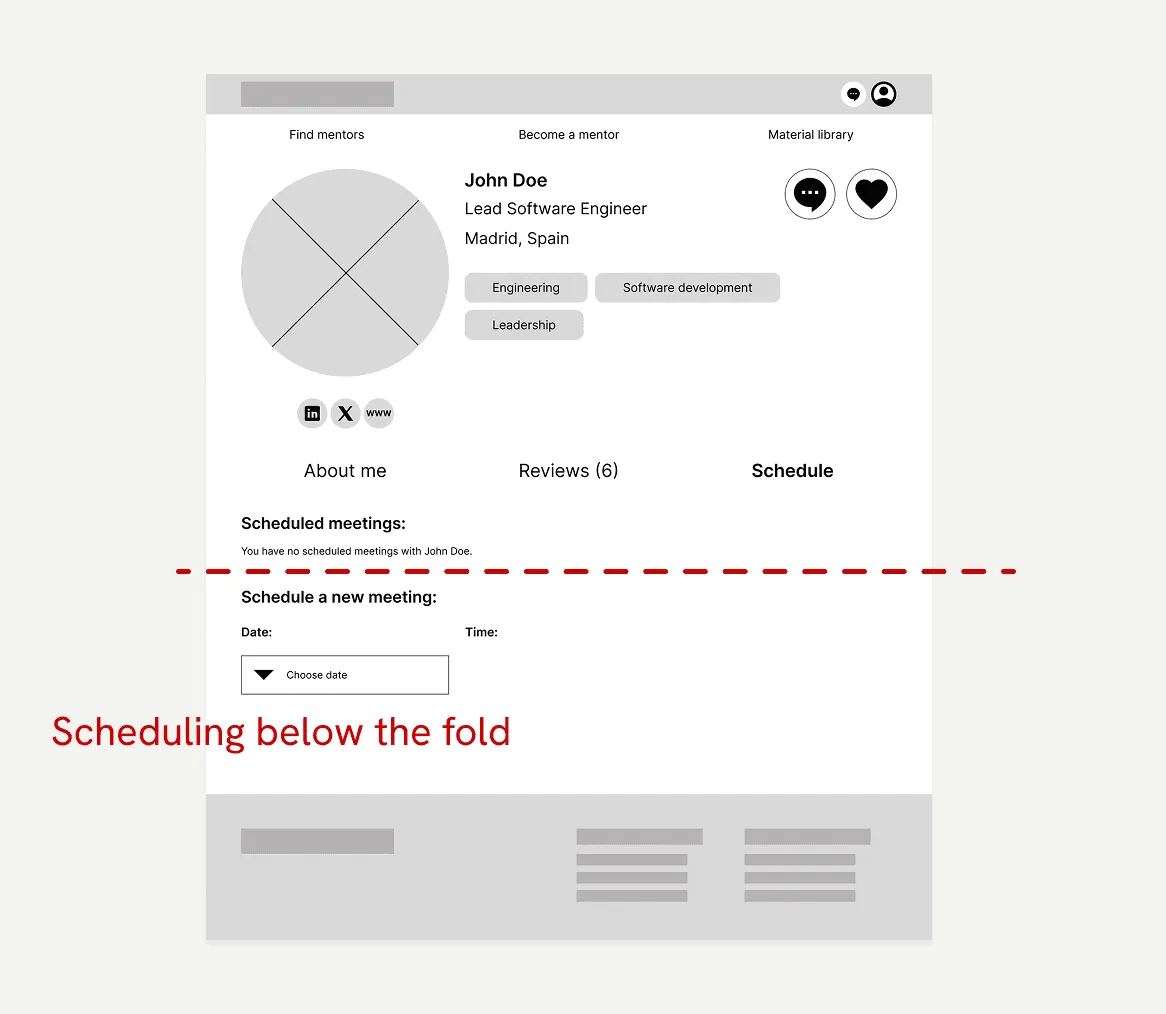
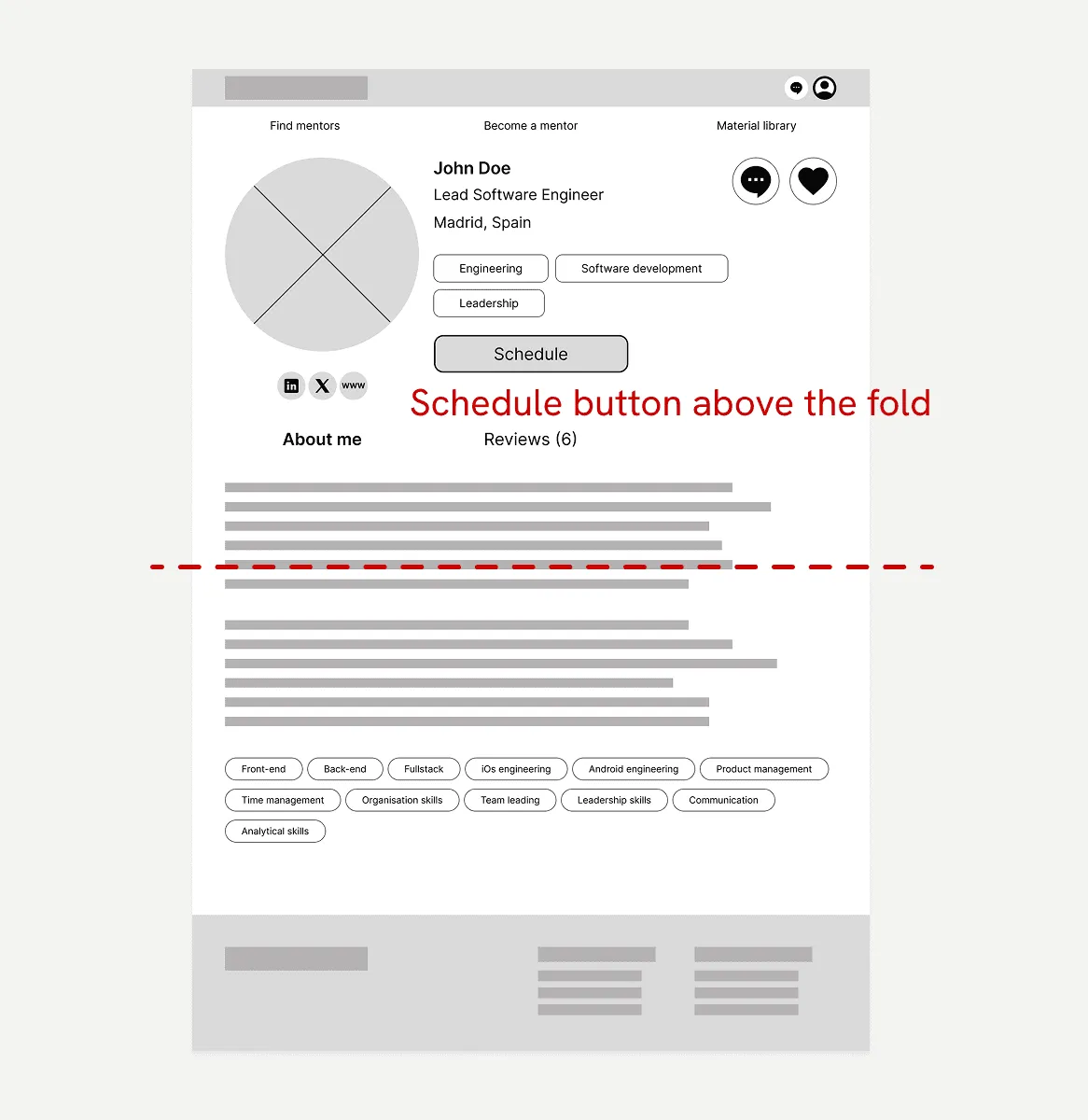
Scheduling made visible
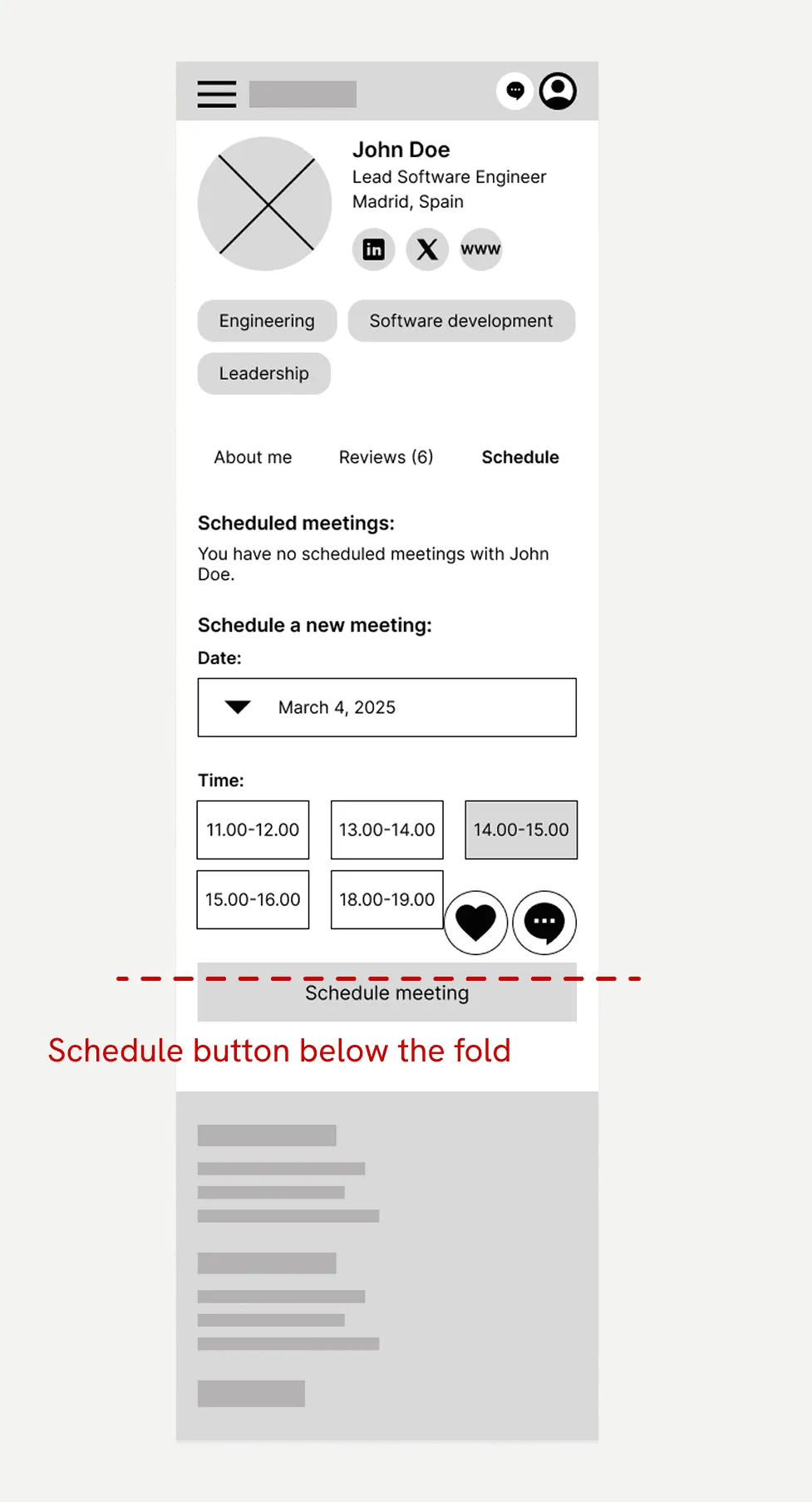
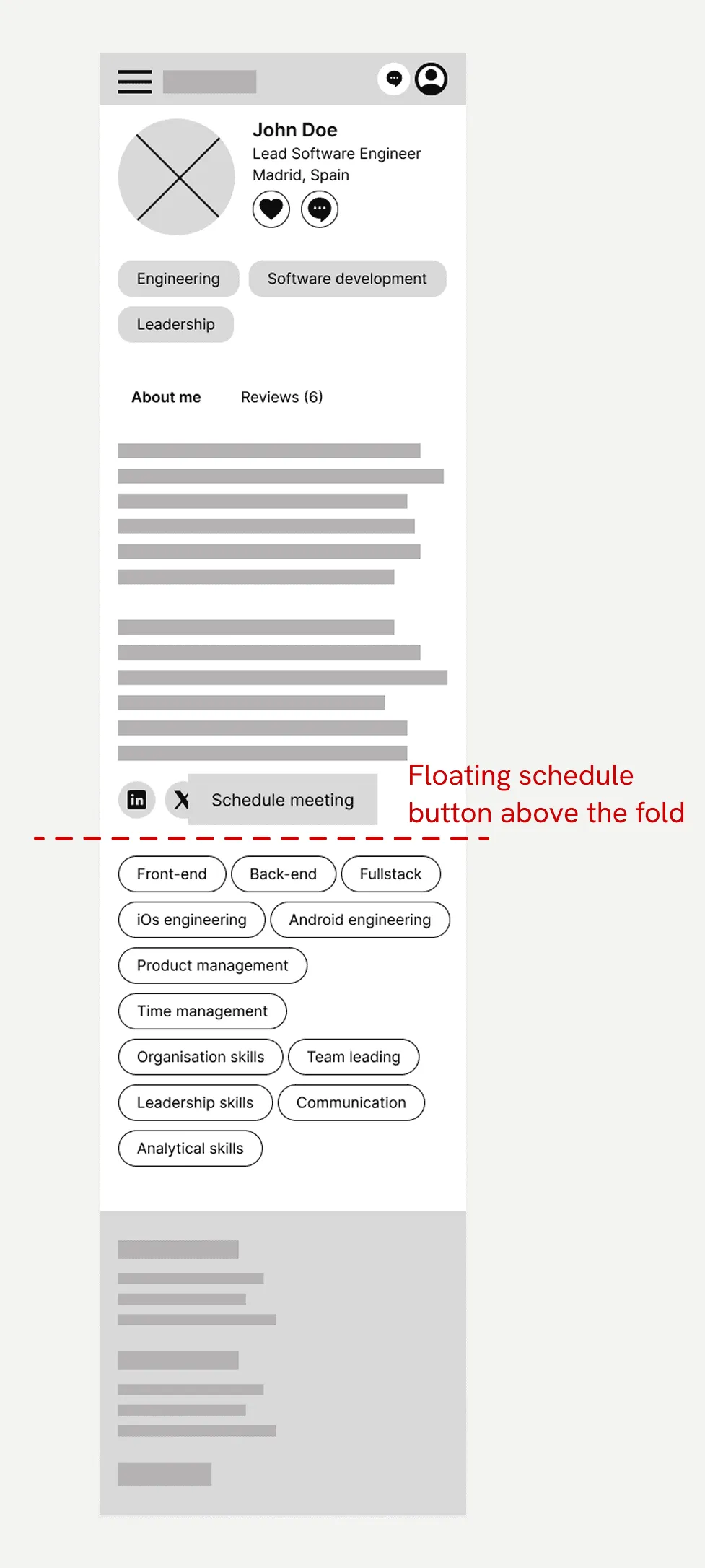
The first usability study revealed that users struggled to find the Schedule button because it was tucked inside the Schedule tab and below the fold. To fix this, I removed the tab and made the Schedule button open an overlay instead. The button now sits above the fold on desktop and floats on mobile, so it’s always in view. In the second round of testing, all seven participants booked an appointment without difficulty.
Before
After
The visual look
Reflection
This project taught me the value of mobile-first thinking, which I’ll start with from day one in future projects. A feature-dense platform designed desktop-first will fight you on every small screen.
If the platform were heading to production, I’d design the remaining pages, like the resource library, log-in and FAQ, and test them with both mentees and mentors.
Designing this taught me the value of mobile-first thinking. A feature-dense platform designed desktop-first will fight you on every small screen.